Introduction
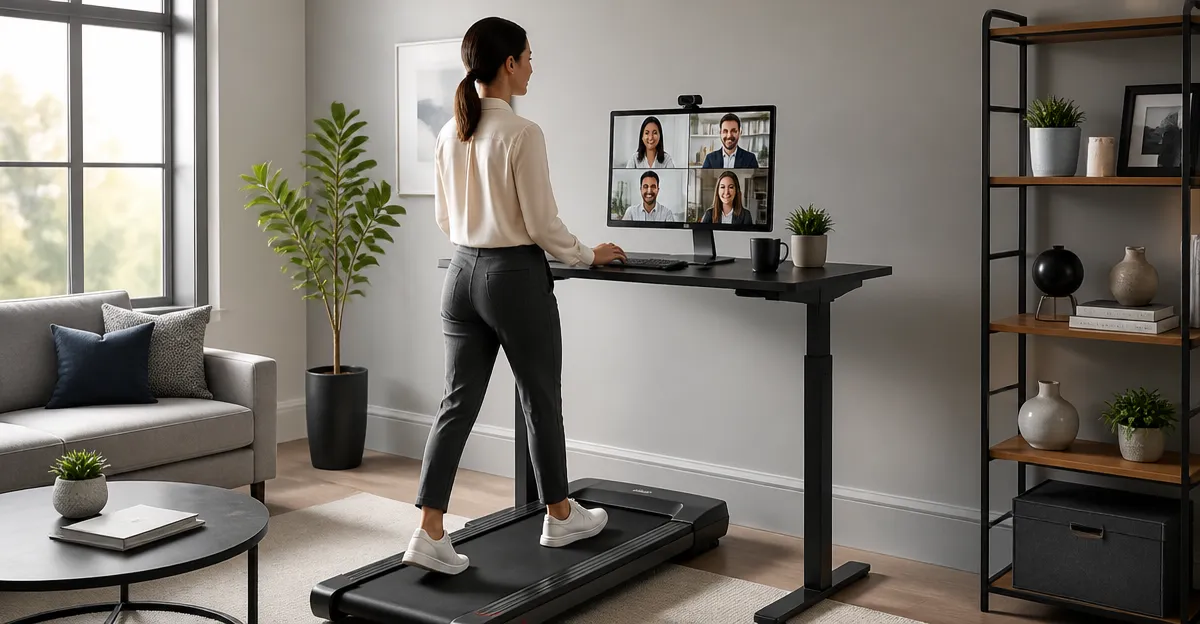
Remote professionals are increasingly seeking ways to remain active while maintaining a polished virtual presence. This guide explains how to transform a walking pad into a reliable treadmill desk for video calls, covering equipment placement, camera alignment, audio clarity, and ergonomic adjustments. By following each step, one can achieve a professional backdrop, stable sound, and comfortable posture without sacrificing daily movement goals.
The instructions are designed for intermediate users who already own a treadmill or walking pad and wish to integrate it seamlessly into a home office. The recommended accessories are selected from highly rated Amazon products, ensuring compatibility, durability, and value. Although the guide references specific tools, the principles apply to any similar equipment.
What You'll Need
- Vhorilix Walking Pad – compact, quiet motor, 2.5 HP, supports up to 264 lb, $89.99, 4.5★ rating.
- Miden Treadmill Desk Attachment – 36" wide platform, anti‑slip surface, supports 22 lb, $50.95, 4.6★ rating.
- VIVO Treadmill Desk Attachment – 34.1" x 11" board, velcro straps, 22 lb capacity, $44.99, 4.4★ rating.
- Qsxou Treadmill Desk Tray – 34.65" x 25.2" tray with cup holders and cooling holes, 22 lb capacity, $40.99, 4.4★ rating.
- VIVO Wooden Treadmill Desk – 26.9" x 11" wooden tray, height‑adjustable, tilt‑adjustable, supports 8.8 lb, $89.99, 4★ rating.
- External webcam with clip, USB microphone, LED desk lamp, and a stable internet connection.
Step 1 – Position the Walking Pad
Begin by placing the Vhorilix Walking Pad on a flat, carpeted or hardwood surface. Ensure the pad is centered against the wall to prevent accidental drift during walking. The slim 109 × 50 × 11 cm footprint allows it to fit under most desks, making it ideal for small home offices. Connect the power cord, turn on the remote, and test the lowest speed (1 km/h) to confirm quiet operation; the motor’s noise‑reduction technology keeps ambient sound below typical conversation levels.
When the pad is stable, measure the distance between its side handrails. This measurement determines which desk attachment will fit securely. For handrail widths up to 33 in, the Miden and VIVO attachments are appropriate; for narrower rails (26.8‑31.5 in) the VIVO Universal attachment offers a perfect match.
Step 2 – Attach the Desk Platform
Select the attachment that matches the measured handrail width. For most users with a 30‑inch rail, the VIVO Treadmill Desk Attachment provides a quick, tool‑free installation using velcro straps. Place the board on the treadmill, align the slots with the handrails, and tighten the straps until the platform feels immovable. The anti‑slip rubber pads protect the treadmill surface and prevent the board from sliding during movement.
If the handrails are wider, the Miden Treadmill Desk Attachment accommodates up to 33 in, offering a larger 36" surface for a full‑size laptop, mouse, and notepad. Its two nylon straps clamp around the handlebars, and the silicone edging strip adds extra grip. The board supports up to 22 lb, which comfortably covers most laptops and accessories.
For users who prefer built‑in cup holders and ventilation, the Qsxou Treadmill Desk Tray includes two cup slots and cooling holes to keep a laptop from overheating. Installation follows the same strap‑based method, and the tray’s edge protector prevents scratches on both the treadmill and the device.
Step 3 – Optimize Ergonomic Height and Tilt
After securing the platform, adjust the height so that the screen sits at eye level when standing upright. The VIVO Wooden Treadmill Desk offers an adjustable support bar that extends from 31.2" to 45.2" in width, allowing the tray to sit higher than most particle‑board models. Use the included wrench to raise the bracket until the laptop screen aligns with the user's gaze, reducing neck strain.
If a wooden tray is not required, the Miden attachment already provides a comfortable ergonomic angle due to its 0.78" thickness and anti‑slip surface. For fine‑tuning, place a thin keyboard wedge beneath the keyboard to maintain a neutral wrist position.
Step 4 – Set Up Camera and Lighting
Mount an external webcam on the top edge of the desk platform using a clip that reaches the back of the treadmill. The camera should be positioned at eye level, approximately 60 cm away, to avoid unflattering upward angles. Verify that the webcam does not interfere with the treadmill’s motion; a lightweight clip ensures stability without adding significant weight.
Illuminate the face with an LED desk lamp placed on the far side of the platform. Choose a lamp with adjustable brightness and color temperature to mimic natural daylight, which enhances video clarity. Position the lamp so that it does not cast shadows on the background and does not reflect off the treadmill’s reflective surface.
Step 5 – Configure Audio
While the treadmill’s motor is quiet, ambient room echo can affect call quality. Connect a USB condenser microphone to the computer and place it on the far edge of the desk platform, away from the treadmill belt. Use a pop filter to reduce plosive sounds and enable the microphone’s noise‑cancellation feature if available.
Test audio levels by recording a short clip while walking at the intended speed (1‑2 km/h). Adjust the microphone gain in the operating system so that the voice remains clear without picking up the faint hum of the motor.
Step 6 – Conduct a Test Call
Before joining an important meeting, start a test video call with a colleague or a secondary device. Verify that the camera frame includes the upper torso, that the lighting is even, and that the audio does not contain background noise. Walk at the chosen speed to confirm that the platform remains stable and that the laptop does not shift.
If the laptop slides, tighten the attachment straps or add a non‑slip mat beneath the board. If the camera view is too low, raise the platform or use a small stack of books as a temporary riser.
Tips & Pro Tips
- Keep the treadmill speed between 0.5‑2 km/h during calls; faster speeds increase sway and may cause camera jitter.
- Place a small towel or silicone mat under the treadmill to dampen vibrations that could travel to the desk.
- Use the cooling holes on the Qsxou tray to prevent laptop overheating during long meetings.
- Schedule short standing breaks between back‑to‑back calls to reduce fatigue.
- Enable “Do Not Disturb” on the computer to avoid notification pop‑ups that could distract participants.
Troubleshooting
| Problem | Possible Cause | Solution |
|---|---|---|
| Desk platform wobbles | Straps not tightened enough or handrails uneven | Re‑tighten straps, use a level to verify handrail alignment, add silicone edge strips for extra grip. |
| Camera shakes during walking | Insufficient weight distribution on platform | Place a lightweight metal weight (e.g., a small dumbbell) on the far side of the board to stabilize. |
| Laptop overheats | Poor ventilation under device | Switch to the Qsxou tray with cooling holes or add a laptop cooling pad. |
| Audio picks up treadmill noise | Microphone too close to belt | Move microphone to the opposite side of the platform and enable software noise suppression. |
Conclusion
By following the outlined steps, one can create a professional treadmill desk that supports clear video, crisp audio, and ergonomic posture during virtual meetings. The combination of a quiet Vhorilix Walking Pad and a sturdy desk attachment such as the Miden Treadmill Desk Attachment offers a cost‑effective solution for active professionals. Regular practice will improve comfort, reduce sedentary time, and maintain a polished on‑camera presence.
Frequently Asked Questions
How can I position my treadmill desk for optimal video call framing?
Place the treadmill so the top of the screen is at eye level and the camera captures you from the waist up, using a monitor riser or laptop stand if needed.
What accessories improve audio quality when using a walking pad during calls?
A USB boom microphone with a pop filter and a noise‑cancelling headset reduce footstep noise and echo.
Do I need a special desk attachment for my walking pad, and is it compatible with any brand?
A treadmill desk attachment like the Miden model adds a stable work surface and fits most compact pads; check the weight limit and mounting holes for compatibility.
How can I maintain ergonomic posture while walking and typing on video calls?
Keep the keyboard at elbow height, use a supportive chair or standing mat, and adjust the monitor tilt to avoid neck strain.
Is it safe to use a treadmill desk during long video meetings?
Yes, as long as you set a low walking speed (0.5–1 mph), wear supportive shoes, and ensure the area is clear of obstacles.